Top 5 free Odoo themes
Five free Odoo backend themes for a calmer or bolder workspace, with Odoo 19 links, visual previews, and practical compatibility notes.

You spend a lot of time in Odoo. The way it looks should help you find your next task, read a long list, and feel comfortable through a busy afternoon. A theme is a small change that can make that everyday workspace feel more like yours.
Here are five free backend themes to explore, from quiet styling to a more colorful workspace. Every link below points to an Odoo 19 listing for the Community backend: the internal screens your team uses every day.
How we chose: This is RivetFox’s editorial shortlist. We build Minimalism and Neo Brutal, and place our own themes first. For the other three, we checked Odoo Apps’ free Odoo 19 backend catalog. MuK and Code combine substantial download totals with displayed four-star ratings. Vista is another widely downloaded option, with a lower displayed rating of three stars. We considered both popularity and ratings; this is not an independent benchmark.
Prices, displayed ratings, and download totals were checked on 26 September 2026. Downloads are the marketplace’s listing totals, not a count of active installations or confirmed Odoo 19 deployments. Browse the source catalog.
The shortlist at a glance
| Place | Theme | Changes | A good fit for |
|---|---|---|---|
| 1 | Minimalism | Community backend | A calm, understated workspace |
| 2 | Neo Brutal | Community backend | Bold outlines and a distinct visual identity |
| 3 | MuK Backend Theme | Community backend | App navigation and mobile layouts |
| 4 | Code Backend Theme | Community backend | A more extensive visual refresh |
| 5 | Vista Backend Theme | Community backend | Colorful everyday views |
1. Minimalism Backend Theme
Our pick for a quieter workday.
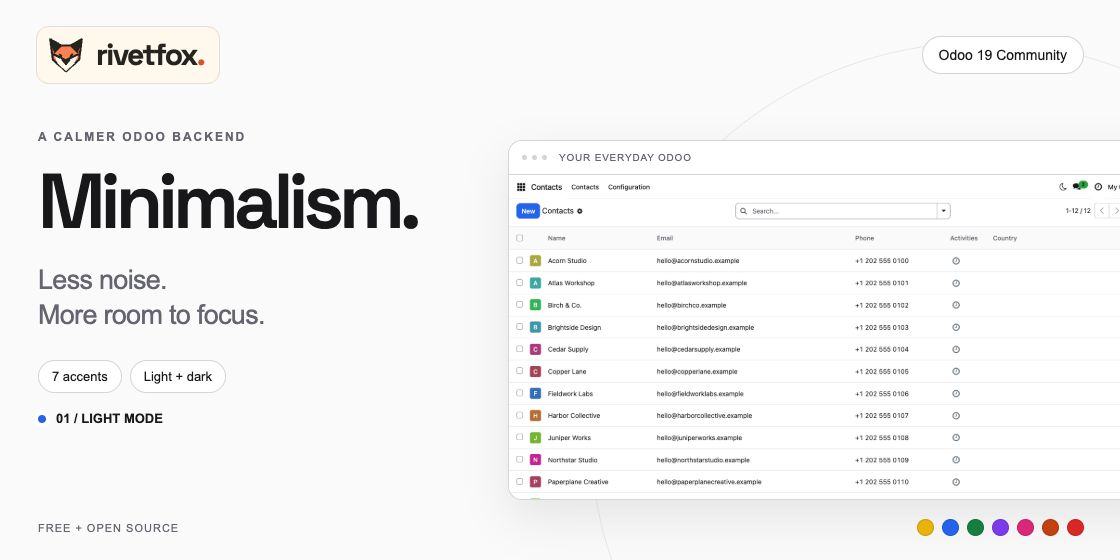
Minimalism uses neutral surfaces, fine borders, rounded controls, and restrained accents. It keeps familiar Odoo screens at the center of the experience. If your team prefers a subtle interface, this is where we would start.
The Odoo 19 version offers personal light and dark modes, comfortable or compact tables, and seven accent presets controlled by a Settings administrator. The accent is shared across the database; each user’s appearance preferences stay in their browser. They do not follow the user between devices.
Minimalism targets self-hosted Odoo Community and is open source under LGPL-3.0-or-later. Its scope is the backend: it does not restyle your website, POS, login page, or PDF reports. Enterprise and Odoo.sh are not certified by the project.
Get Minimalism on Odoo Apps · Explore the source and compatibility notes on GitHub
2. Neo Brutal Backend Theme
Our pick for a workspace with personality.
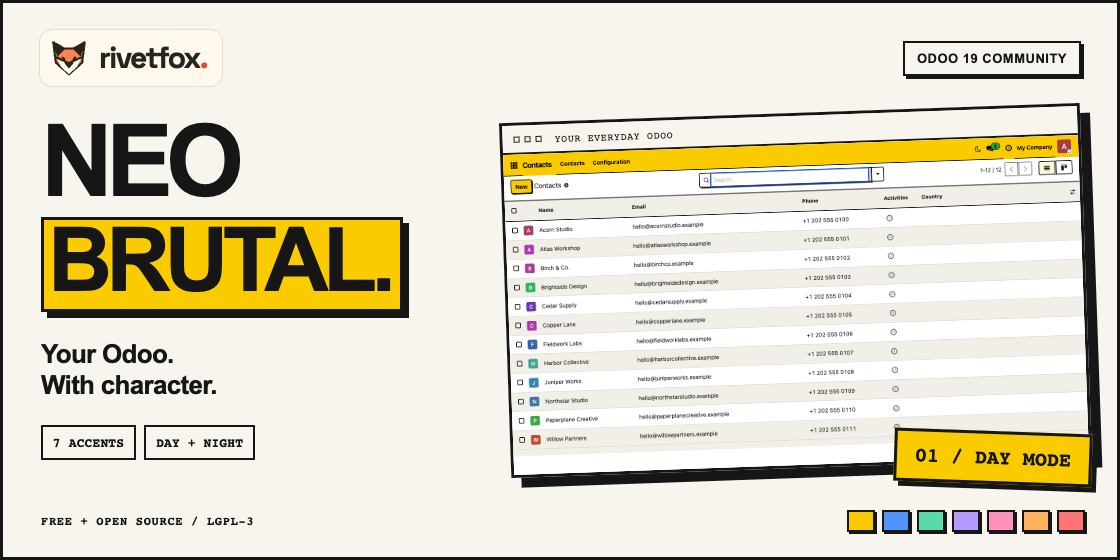
Neo Brutal takes a more expressive approach: visible outlines, solid shadows, and colorful accents give forms and cards a stronger visual presence. Choose it when a quiet, neutral interface is not what you have in mind.
As with Minimalism, the Odoo 19 version includes seven shared accent presets, a personal day/night switch, and table spacing controls. You can change mode without reloading an open form. The theme styles familiar Odoo views while retaining their business actions.
It is free and open source under LGPL-3.0-or-later, with support scoped to self-hosted Odoo Community. Use it as your backend theme; website pages, portals, POS, login screens, and PDF reports are outside its scope. Check the repository’s compatibility notes for your setup.
Get Neo Brutal on Odoo Apps · Explore the source on GitHub
3. MuK Backend Theme
A popular option for navigation and mobile use.
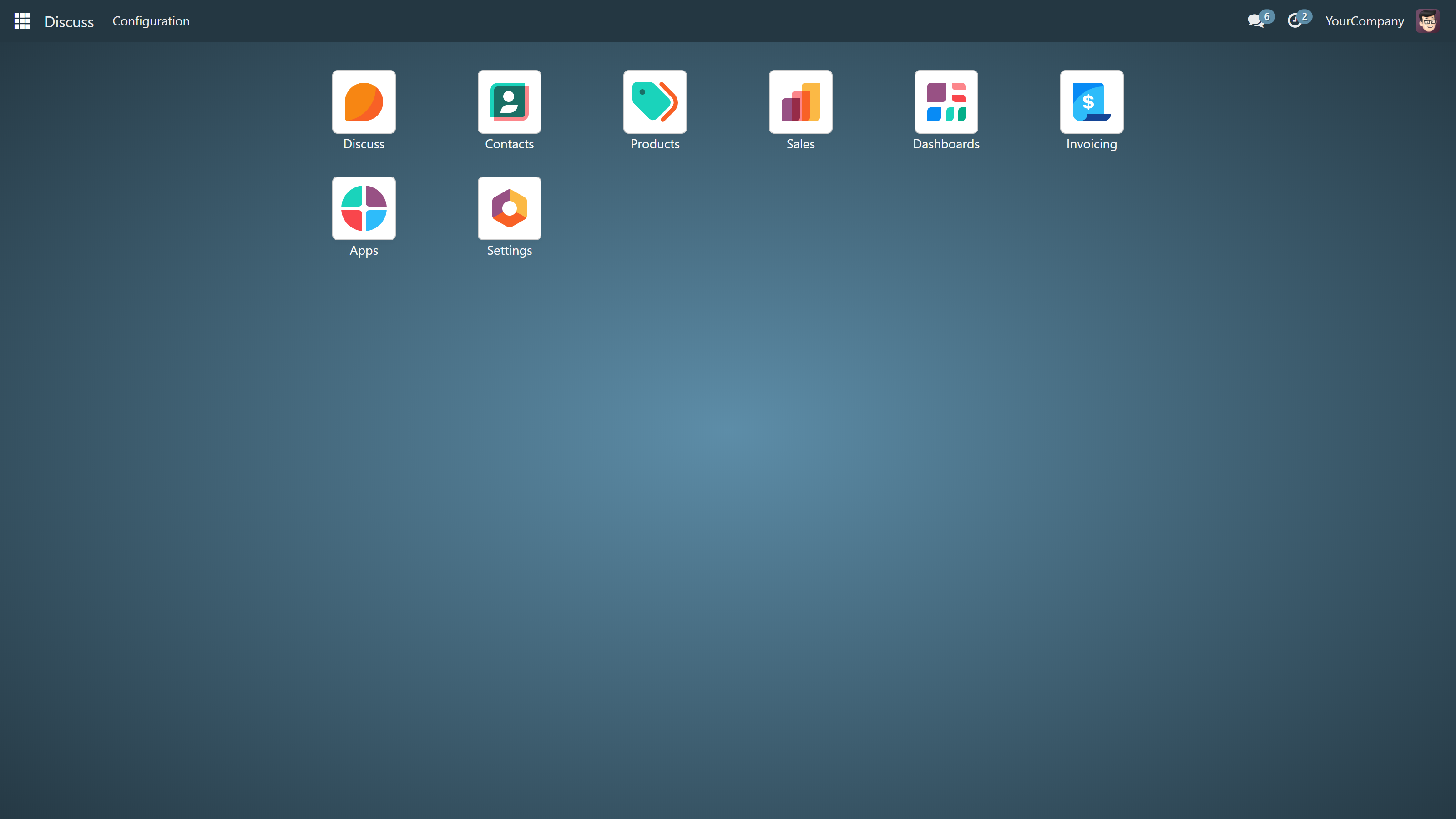
MuK IT’s Community theme had 87,251 downloads and a displayed 4/5 rating from 86 votes when checked. That gives it the largest marketplace footprint of the three external picks here.
Its listing describes a full-screen app menu, app search, sidebar preferences, and mobile layout improvements. Company branding options include colors, a logo, and an app-menu background. It is worth evaluating if moving between applications is a large part of your team’s day.
Download the Community version linked here for a Community installation. MuK also publishes a separate Enterprise theme. The listing flags in-app purchases, so the free download should not be read as a promise that every related service or extension is free. Review its dependencies before installation.
See MuK’s features, dependencies, and current ratings on Odoo Apps
4. Code Backend Theme
A familiar choice for a broader visual makeover.
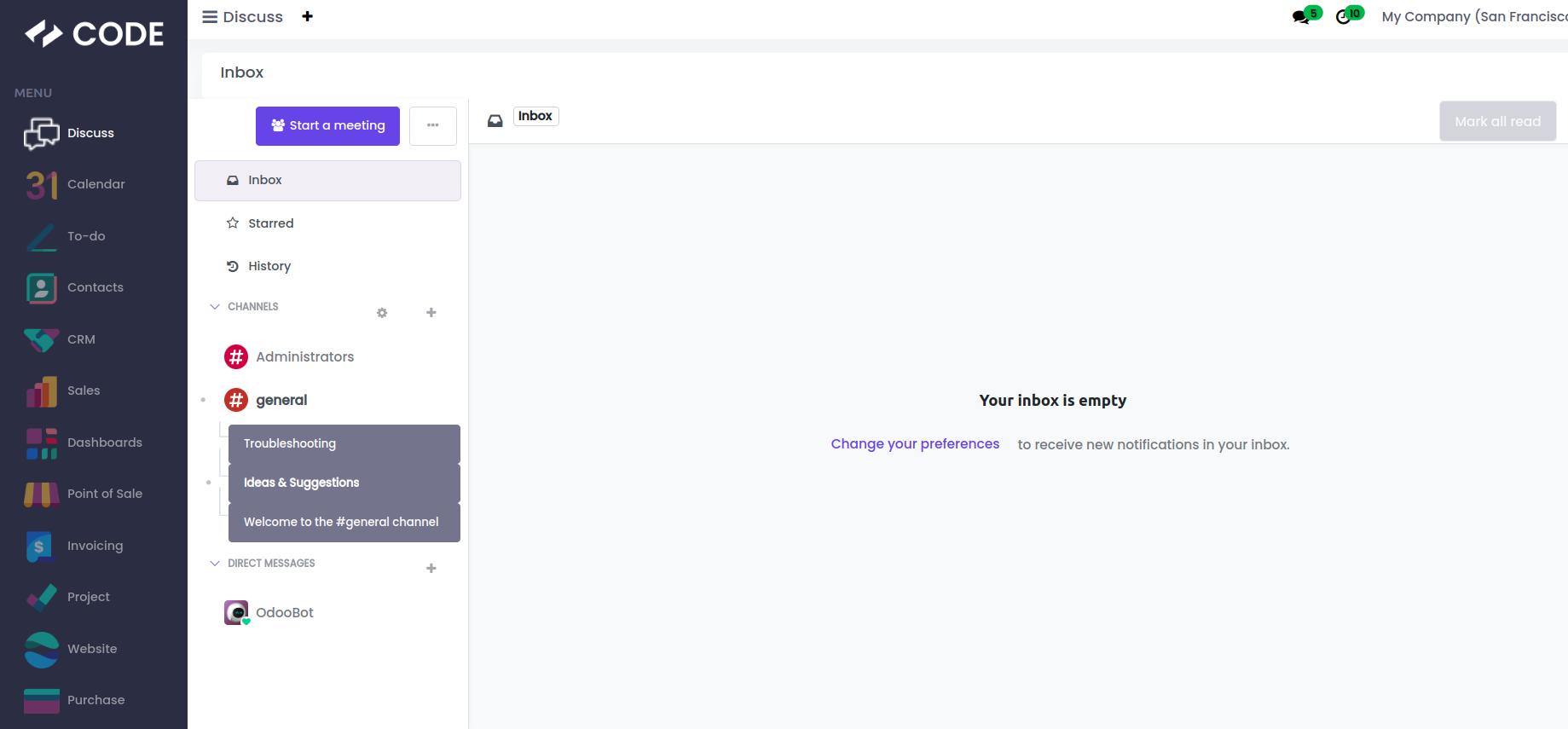
Cybrosys’ Code Backend Theme showed 29,002 downloads and a displayed 4/5 rating from 25 votes. Its Community listing describes a sidebar with app icons, responsive layouts, and changes to list, kanban, and form views.
This makes it a candidate for teams looking for a more noticeable redesign of daily screens. Compare a few real workflows with your current interface before choosing it: an attractive demo does not tell you how your longest forms or custom modules will look.
There is an Odoo 19 download, but some descriptive copy on that page still refers to Odoo 18. Confirm any feature that matters to you against the Odoo 19 package or with the author. The linked package is the Community theme; an Enterprise package is listed separately.
See Code Backend Theme and its current ratings on Odoo Apps
5. Vista Backend Theme
A colorful alternative for everyday backend screens.
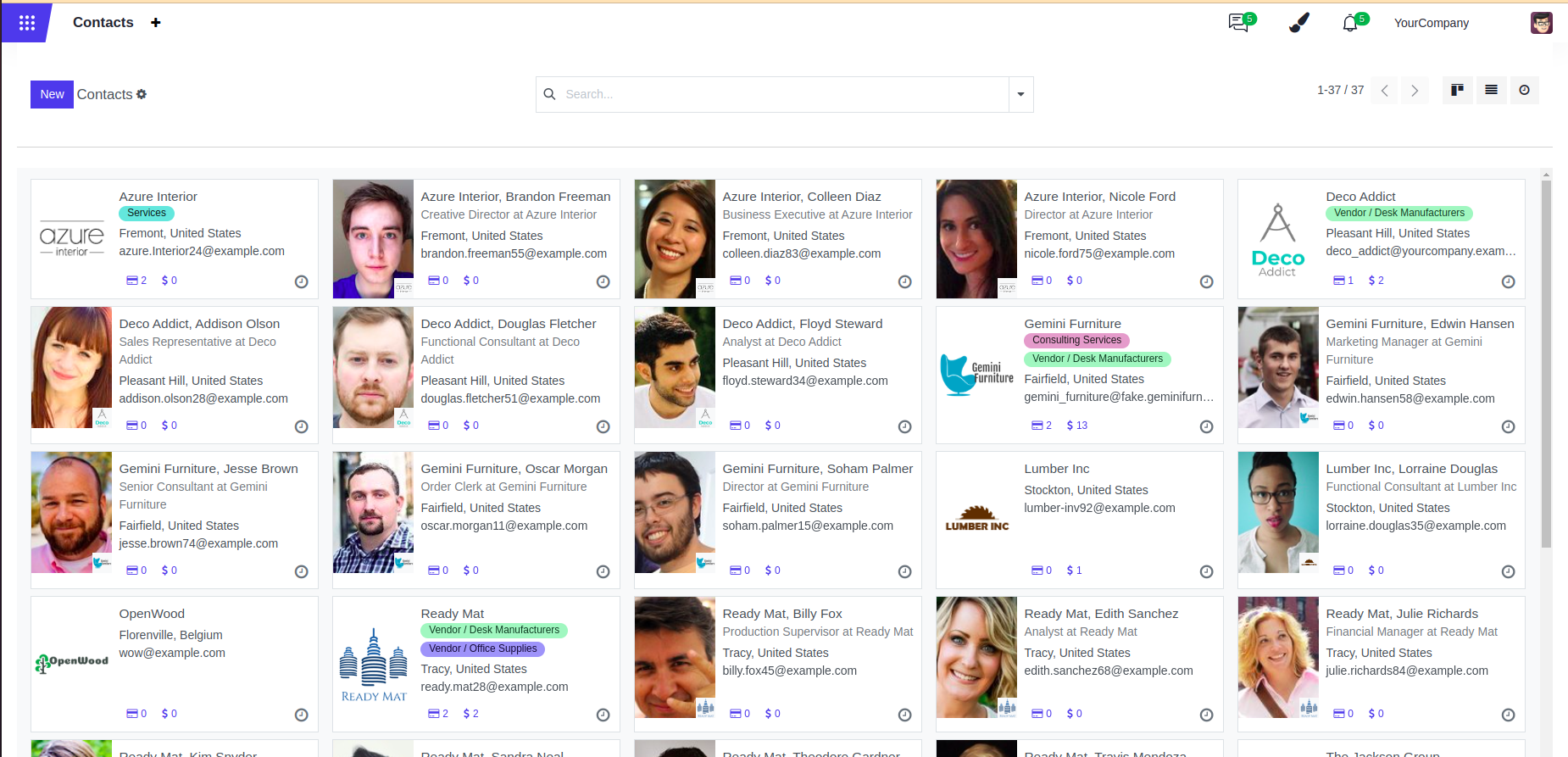
Vista is another free Community backend theme from Cybrosys. Its listing showed 15,690 downloads and a displayed 3/5 rating from 7 votes. It has a substantial download history, but its rating is lower than MuK’s and Code’s, so read the recent feedback before choosing it.
Its preview shows purple accents, colorful labels, and refreshed contact cards. The listing also describes a modified app drawer, responsive layouts, and changes to list and form views. Consider it if you want more color across the screens your team already uses.
The marketplace offers an Odoo 19 download, while some preview copy still refers to Odoo 18. Treat the illustrations as the publisher’s design preview and verify the Odoo 19 package on a staging installation, especially alongside custom modules.
Explore Vista Backend Theme on Odoo Apps
Choose for your actual workspace
Start with how you want your daily workspace to feel. For a restrained interface, try Minimalism. For a stronger visual identity, explore Neo Brutal. If app navigation is the priority, evaluate MuK; for a wider visual refresh, compare Code. For colorful everyday views, take a look at Vista.
Before switching a backend theme:
- Match your version and edition. A theme’s Odoo 19 Community package is not interchangeable with an Enterprise package or another release.
- Check your hosting. RivetFox’s two themes require a self-hosted installation that accepts filesystem addons; their documentation excludes Odoo Online.
- Try it on a staging copy. Check the forms, tables, custom modules, and screen sizes your team actually uses. Keep a backup and a way to return to the previous appearance.
- Use one backend theme at a time. Test a replacement without stacking competing styles over an existing theme.
- Read “free” precisely. These theme downloads were free when checked. Hosting, implementation, support, or optional extras can have their own costs.
Need help choosing or adapting a theme? Explore RivetFox’s Odoo services. We can help turn a good starting point into a workspace that fits your team.